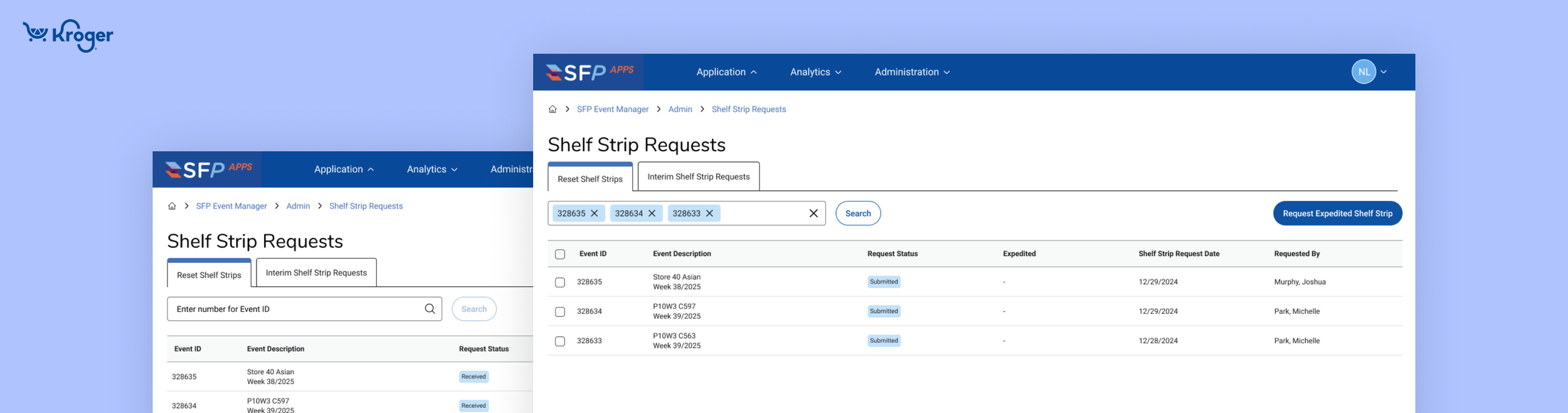
Expedited Shelf Strip Workflow
Key Activities
Moderated interviews, wire framing, prototyping, UI Design, usability testing, product release.
Problem
Merch Execution teams had to manage urgent requests across multiple systems and 40+ emails per week, making the process slow, manual, and error-prone.
Solution
Deliver designs to streamline the expedited shelf strip process, improving speed and usability for merchandisers while modernizing a legacy workflow.
Role
Sole Design Lead
Team
1 Product Manager, 1 Technical PM, 1 Scrum Master, 2 Quality Engineers, and 7 Software Engineers.
Timeline
August 2025- present
OUTCOME
New workflow for expediting shelf strips was successfully deployed in stage and received strong, positive feedback from user sessions.
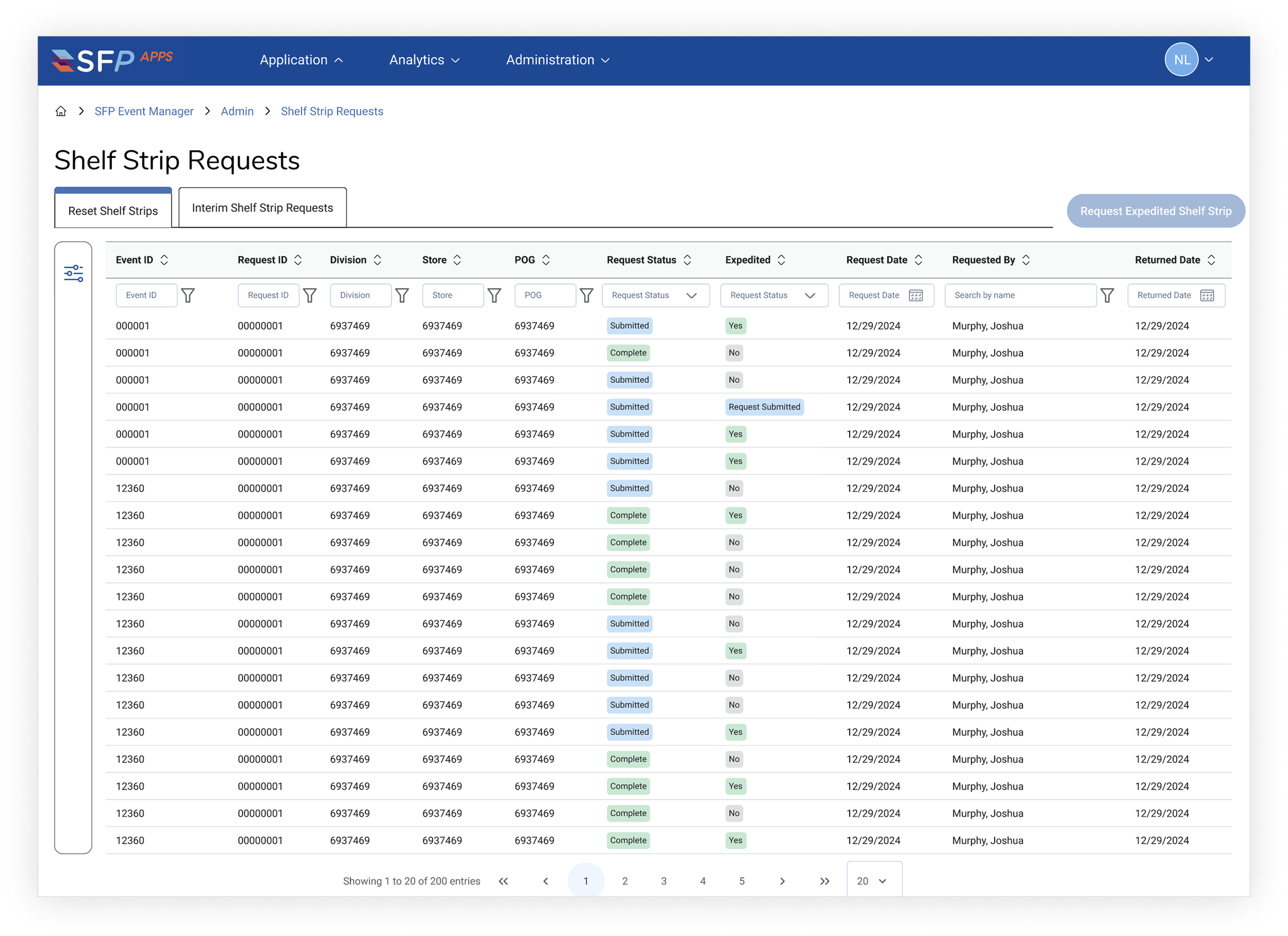
Expedite Shelf Strip Request Page
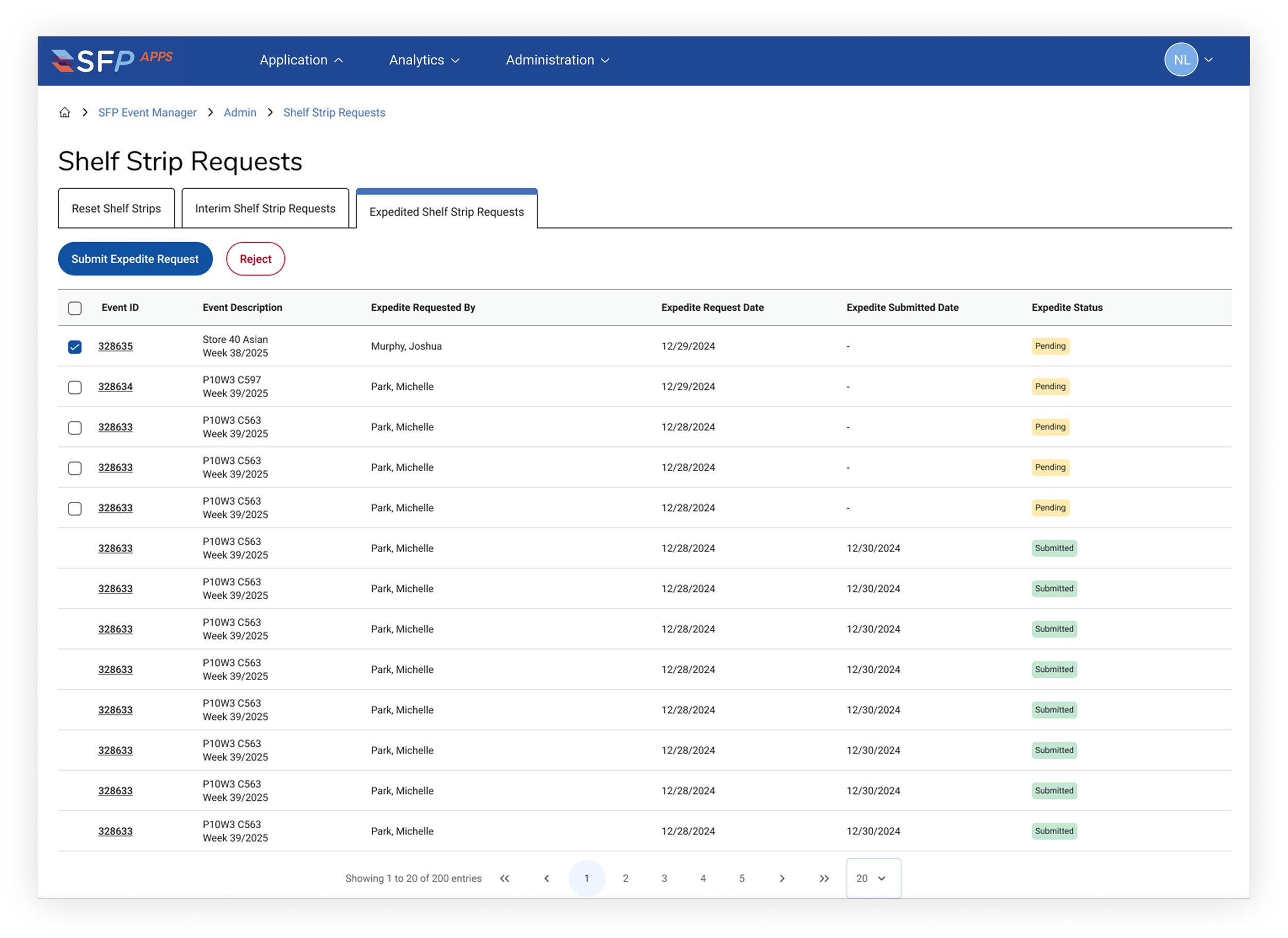
Expedite Shelf Strip Request Admin View
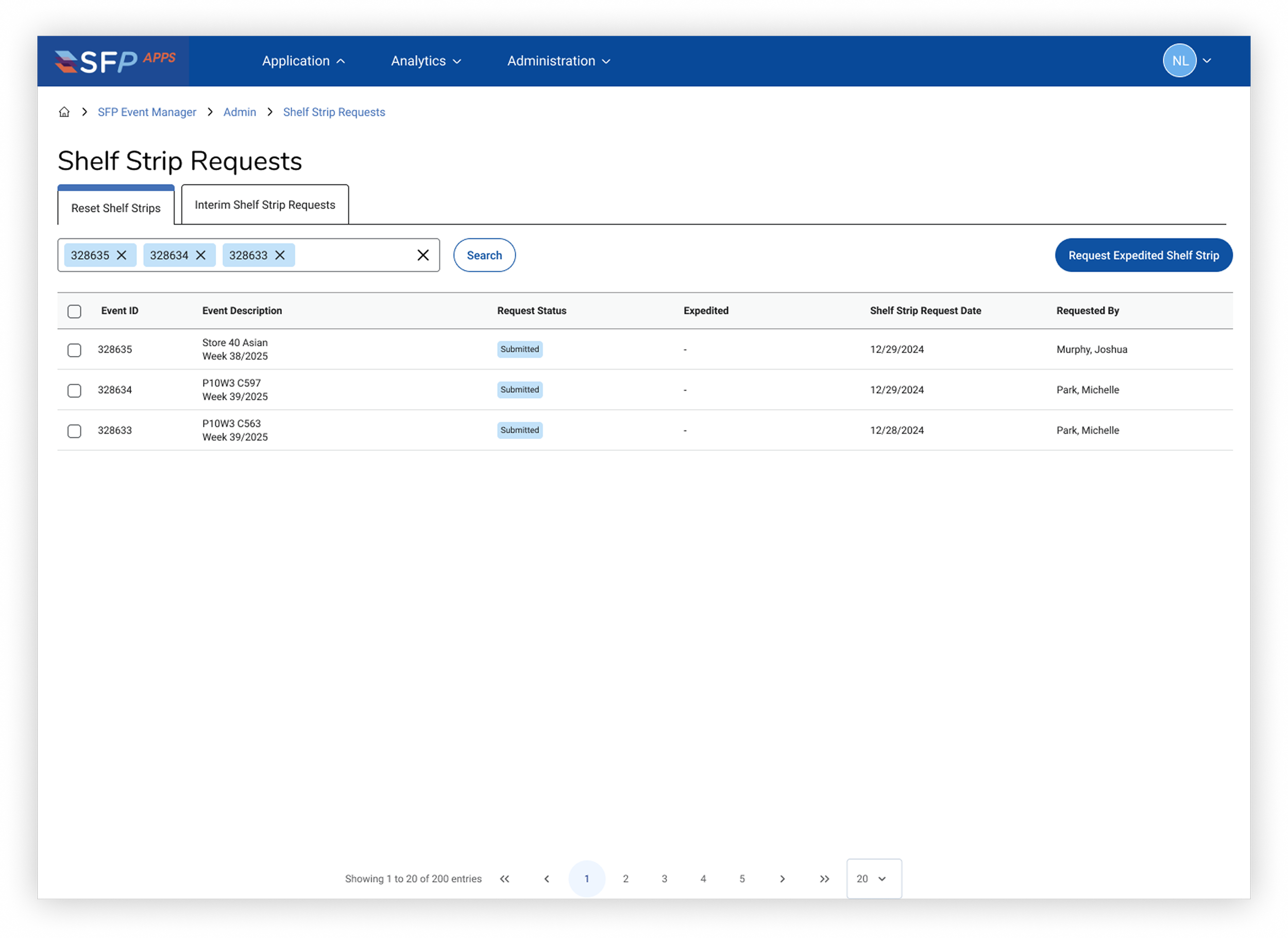
Expedite Shelf Strip Request Search
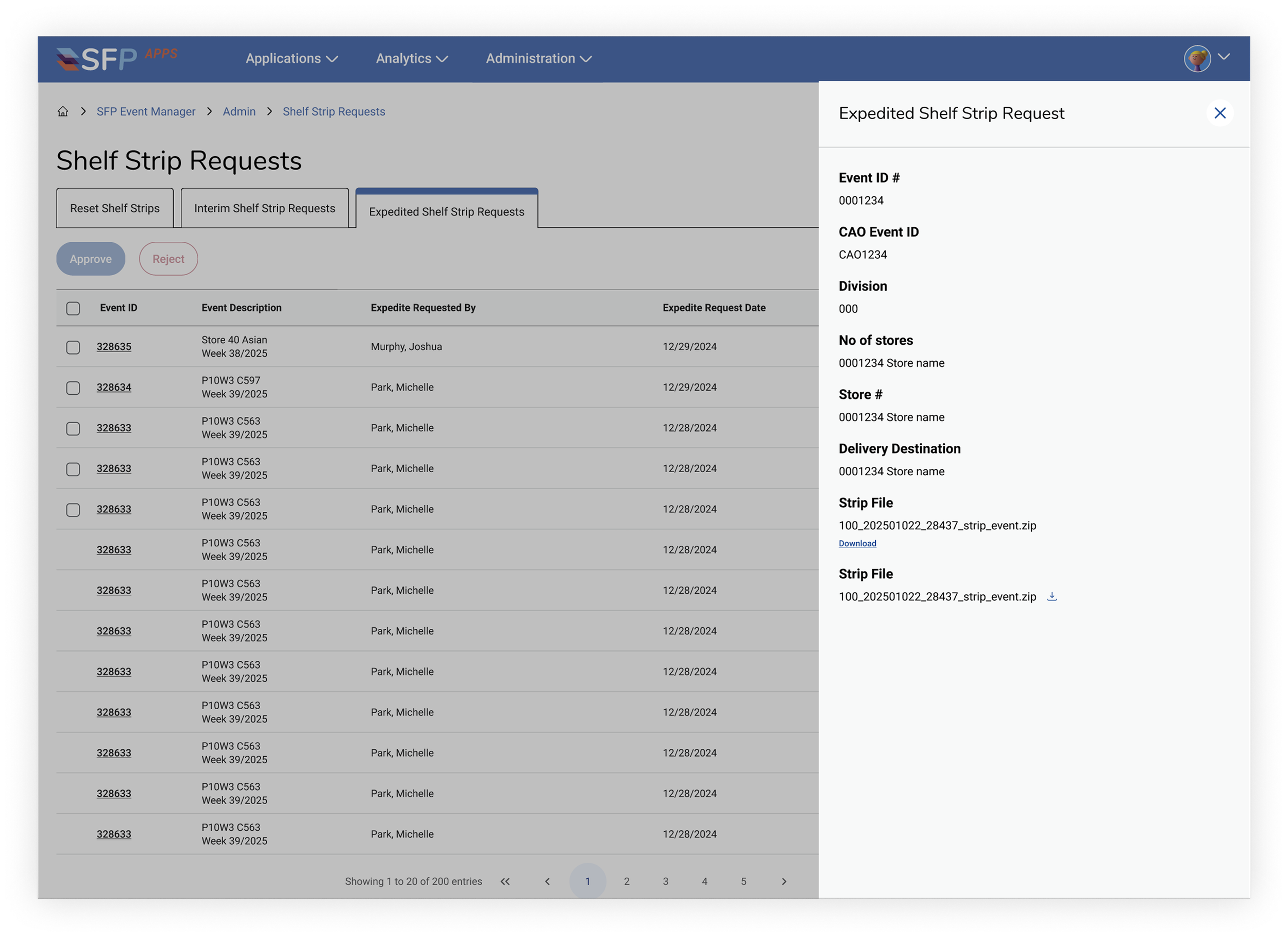
Expedite Shelf Strip Request Detail View
This new workflow will replace a fragmented, manual process with a streamlined application, saving users ~10 hours per week and reducing operational friction. Our team is now currently testing and creating user training for production release in March 2026.
Shelf strips are the unique price tags and product detail stickers attached to items on grocery store shelves. Kroger requires shelf strip creation workflows to be as nimble as possible in order support the various needs of the business including new products, promotions, discounts, etc.
In turn, Kroger prioritized the rollout of an updated creation workflow and experience, and the deprecation of the legacy one. I was responsible for designing an expedited workflow, rethinking the experience while still supporting core user needs and jobs to be done.
BACKGROUND
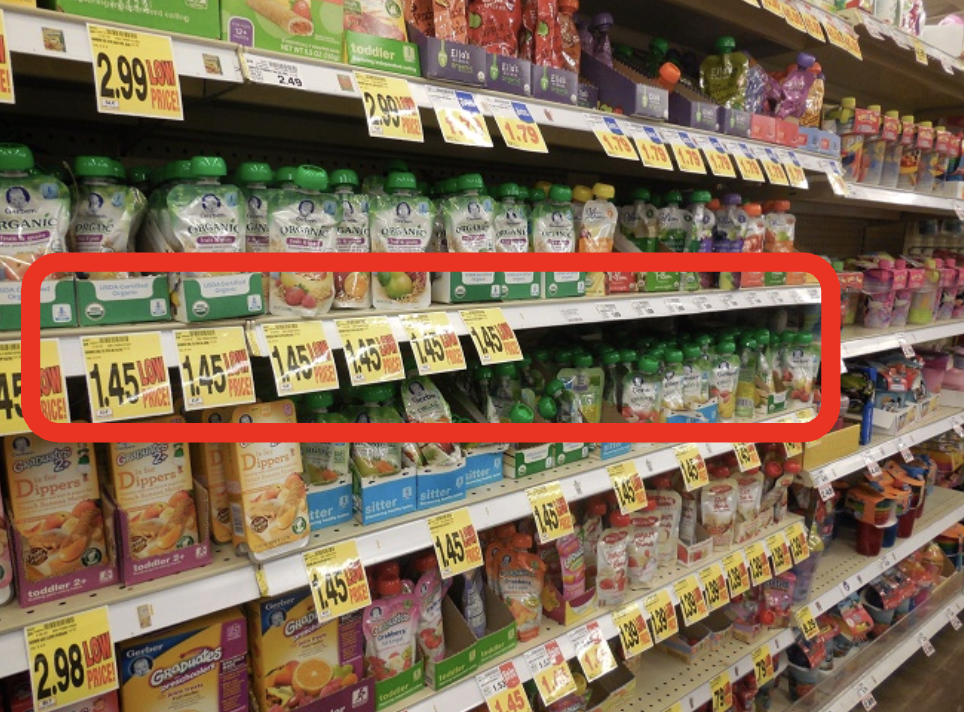
Shelf strip creation workflows needs to be fast and efficient to support thousands of products and frequent price changes
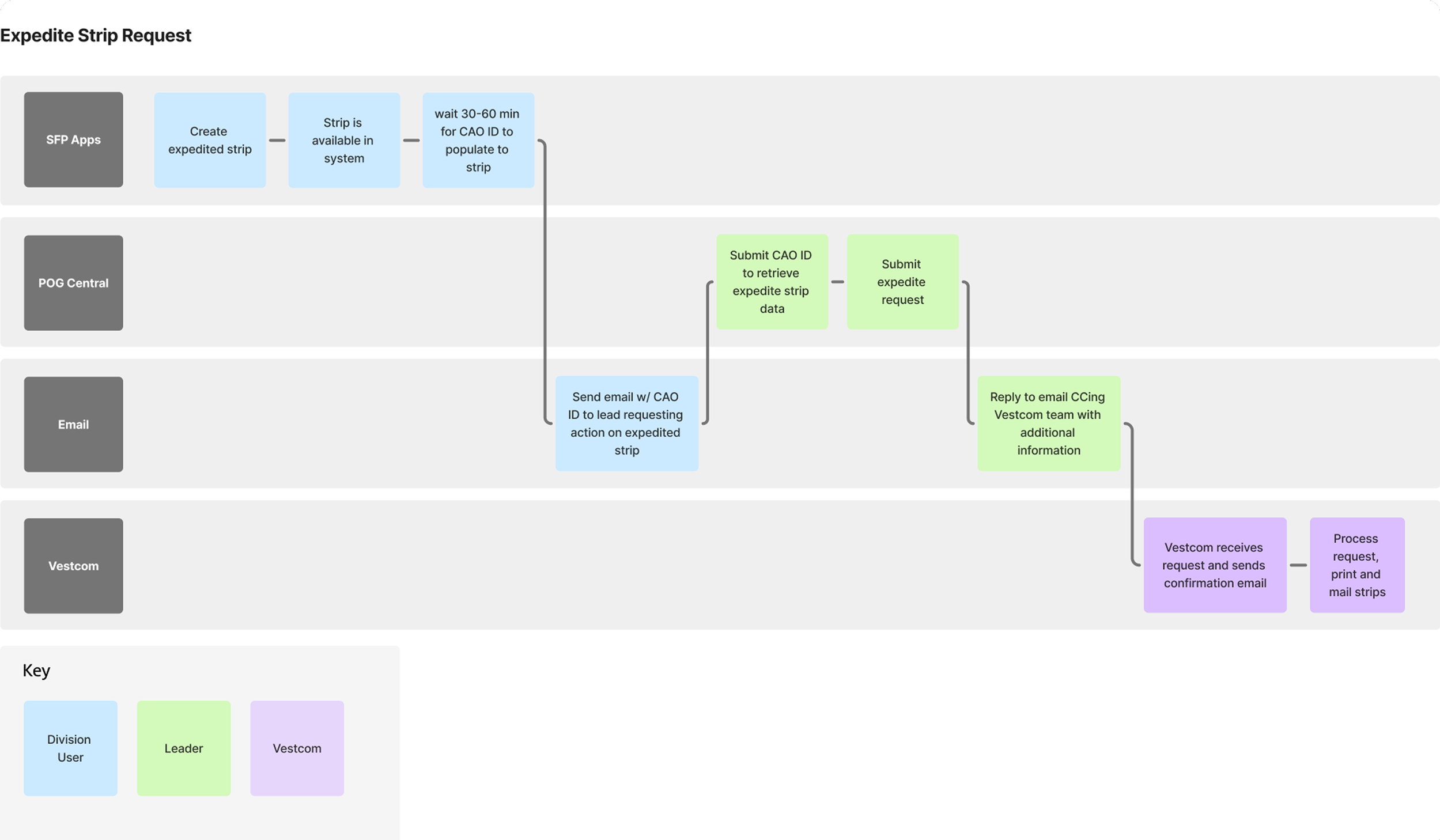
EXISTING WORKFLOW
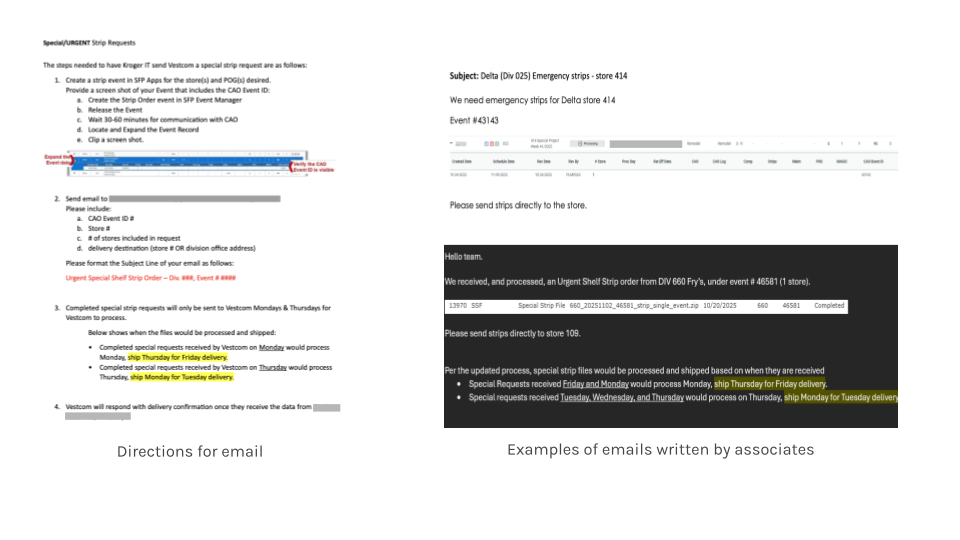
The expedite shelf strip workflow spanned multiple systems and relied heavily on email coordination. As a result, the workflow was extremely manual, time-consuming, and error-prone.
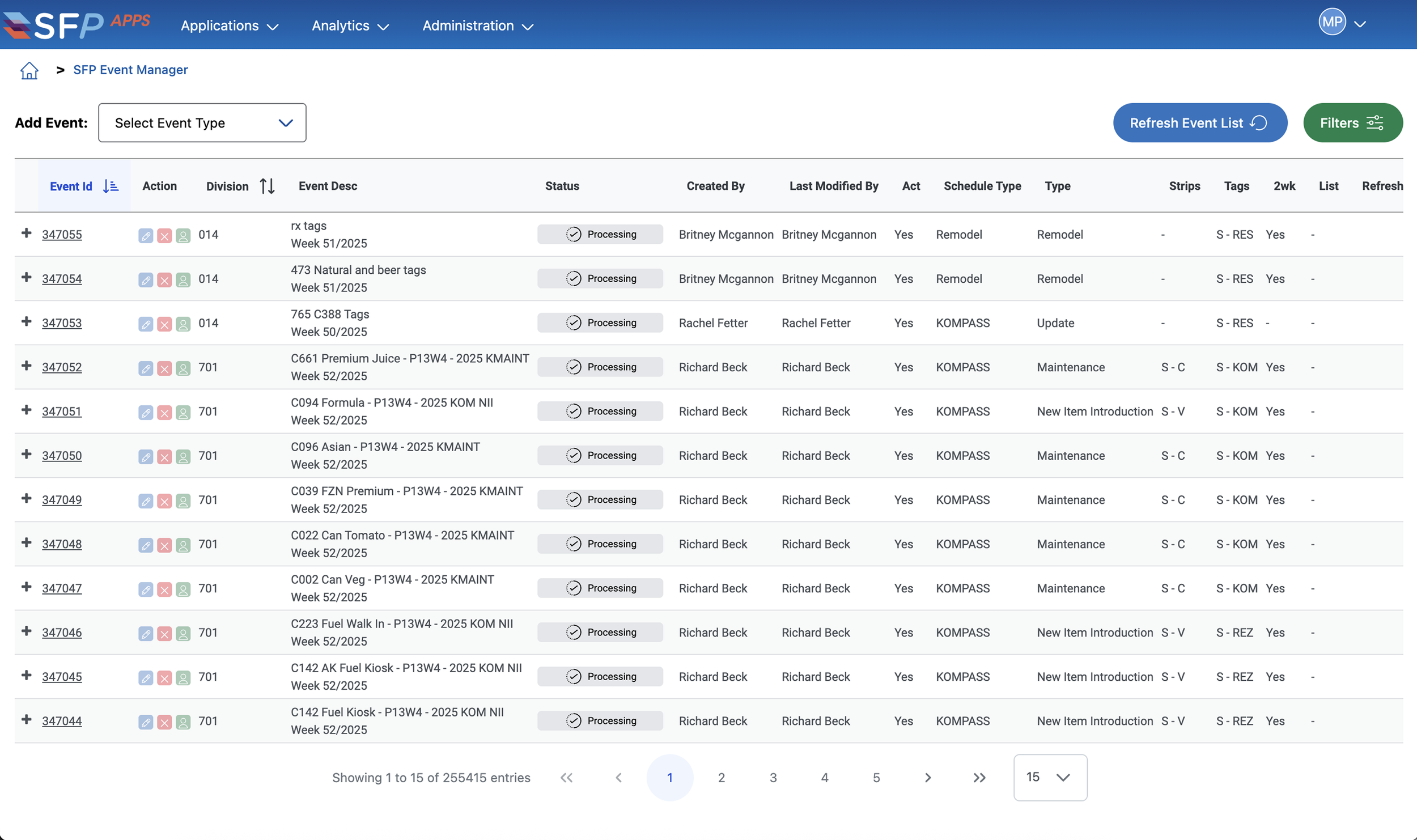
Workflow would start in SFPApps.
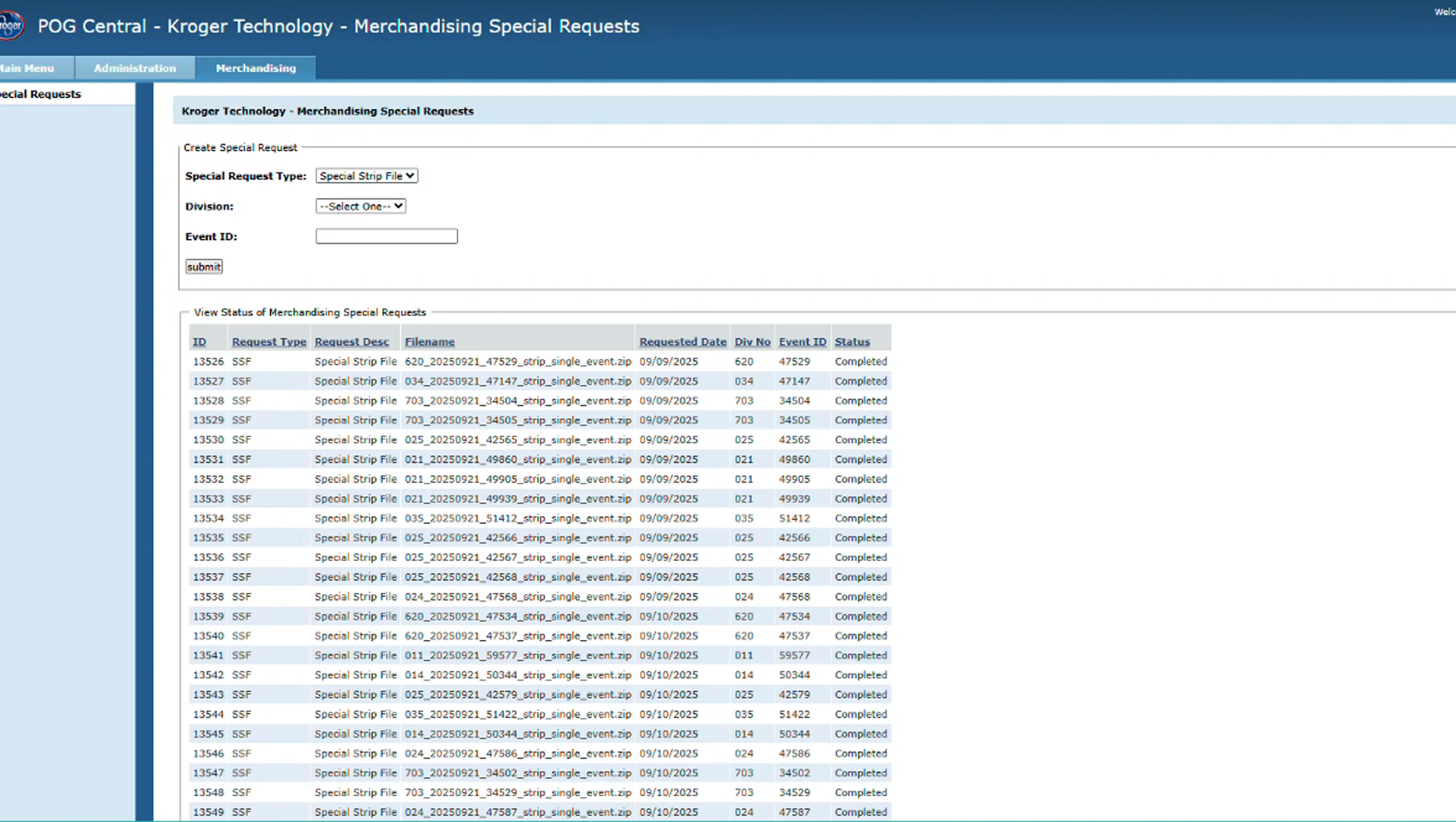
Workflow would end in legacy system (to be deprecated).
RAPID IDEATION
I leveraged existing patterns to drive cross-platform consistency.
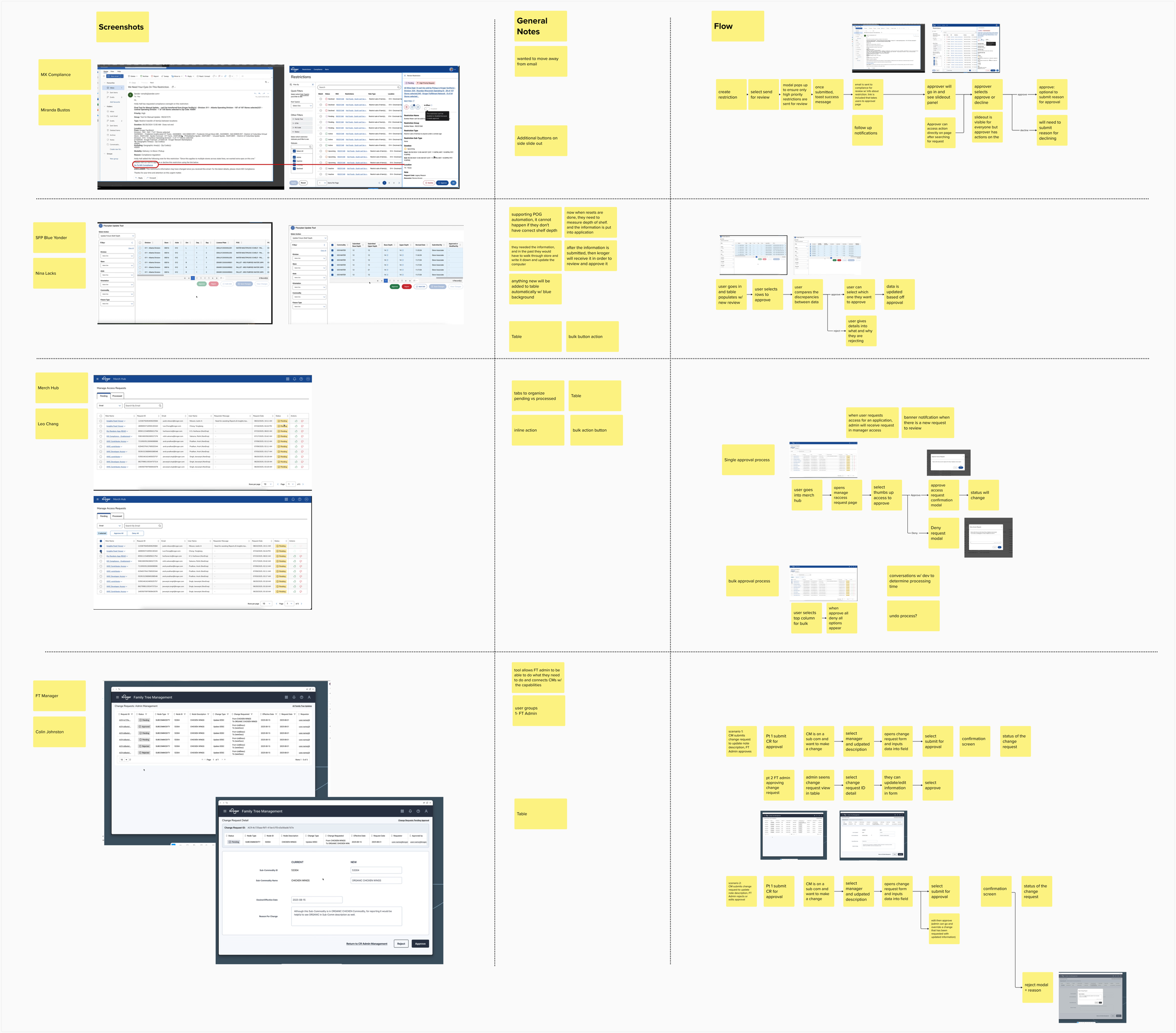
I connected with other designers to understand how similar workflows and patterns were handled in their tools.
I wanted to identify opportunities to reuse familiar patterns and create consistency across platforms as we brought this capability into SFP Apps.
In parallel, I worked closely with my product manager, tech lead, and key stakeholders to align on requirements and fully understand the business process. This helped me define what needed to be included in an MVP.
I gathered requirements with PM, tech lead, and stakeholders for wireframes.
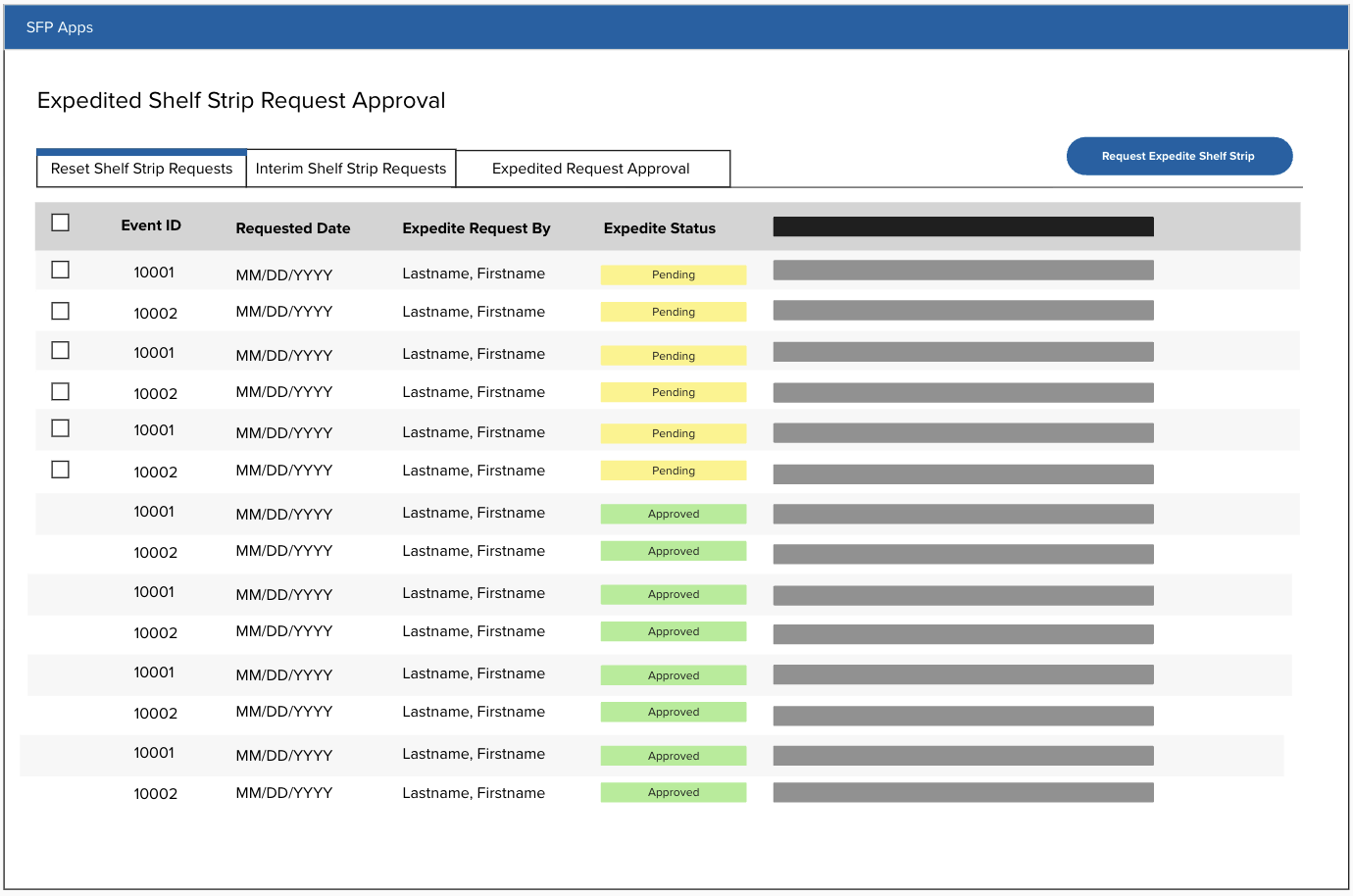
Division users on the left needed to create shelf strips and mark them as expedited, while an admin group on the right was responsible for reviewing those requests and submitting them to a third-party system for printing. I then scheduled feedback sessions with users to validate the workflow and identify any gaps.
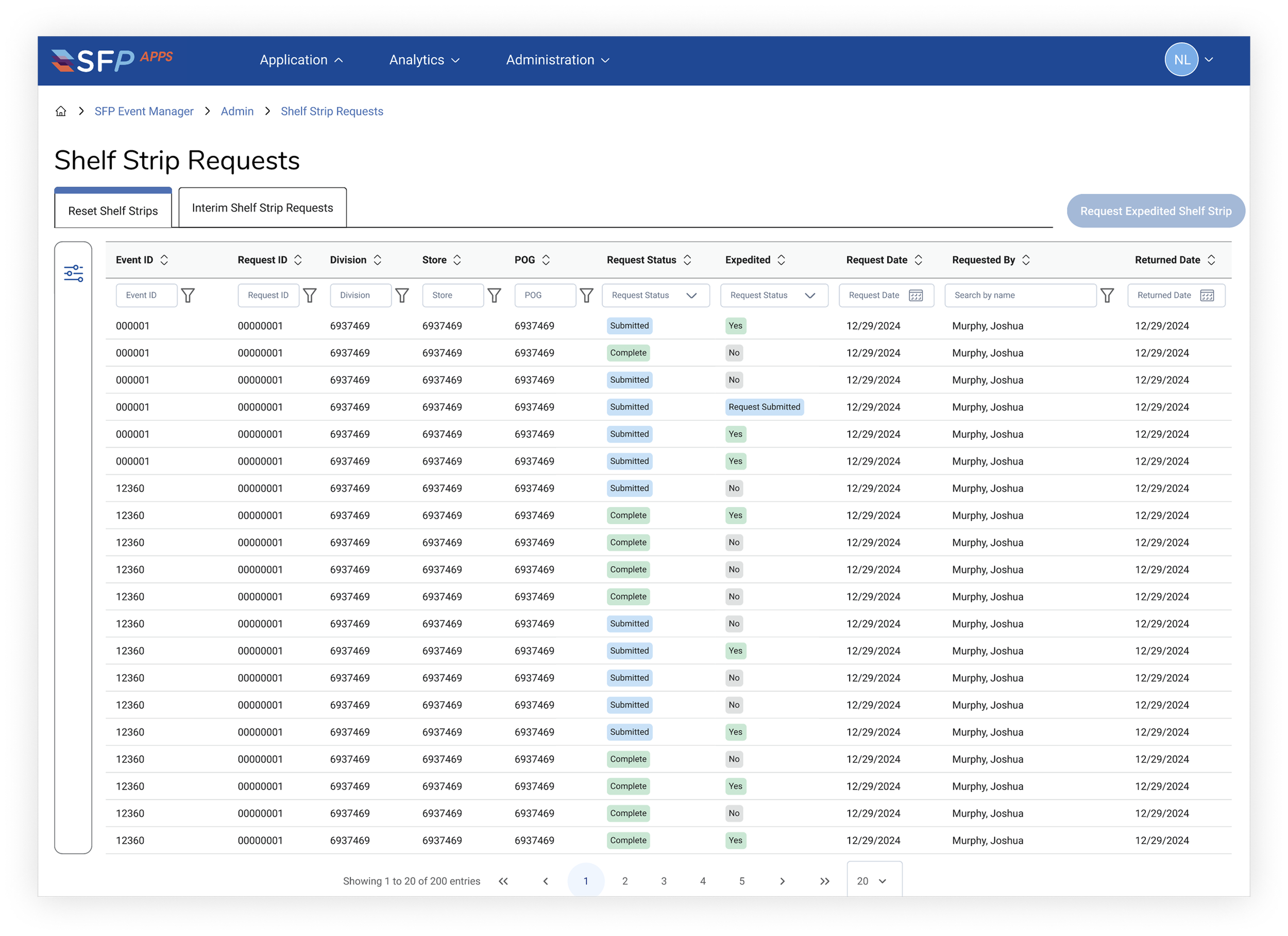
I started by drafting early designs. The updated workflow needed to support two distinct user groups with separate jobs and needs.
USER TESTING & FEEDBACK
Division user group
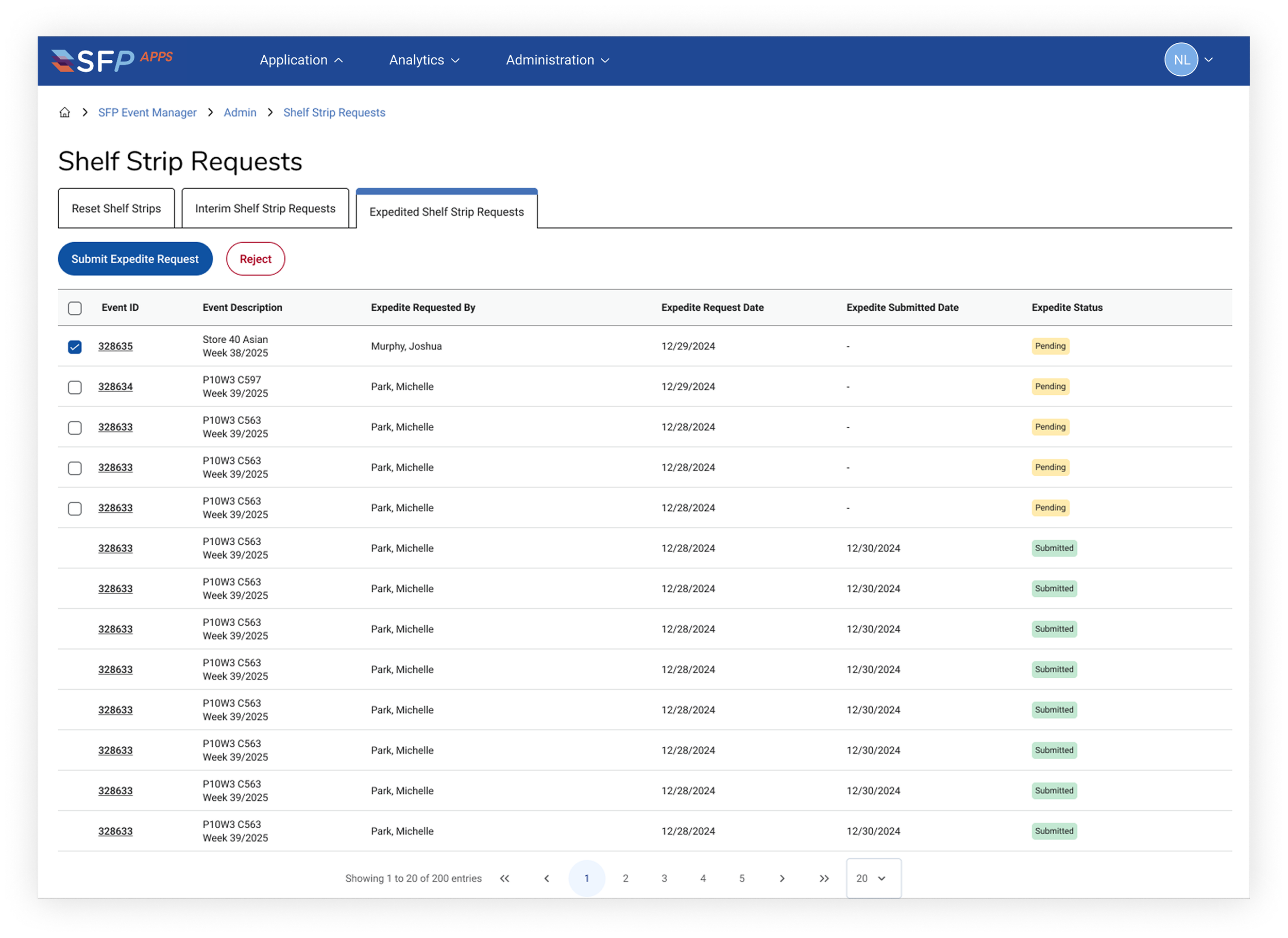
Admin user group
The biggest insight from these sessions was just how manual the process really was. Users were copying information between systems and writing emails simply to trigger the next step. Some associates were sending over 40 emails per week just to support this process, spending anywhere from 5 to 10 hours weekly.
This made it clear that the biggest opportunity wasn’t just improving the UI, it was reducing manual effort through email automation.
I work with an engineer and designed the process to generate automated emails directly from the system.
Because email notifications were such a critical part of the workflow, accuracy and timing were especially important, so I wanted to make sure the solution was both reliable and scalable.
INSIGHTS & CONSTRAINTS
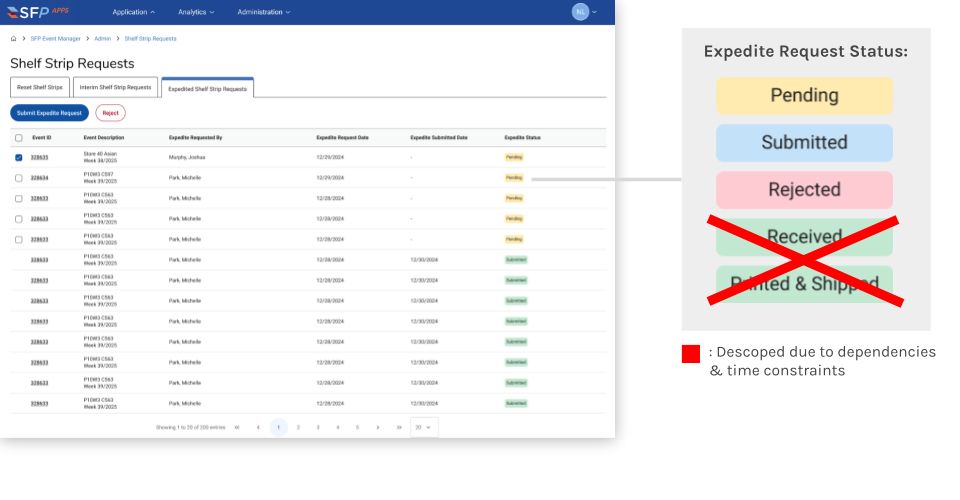
We made a conscious decision to prioritize automation and streamline the process first, leaving status and visibility updates for a future phase.
HAND OFF
At the start of this project, I initiated biweekly design sessions. These were used for design share-outs, technical reviews, and clarifying requirements.
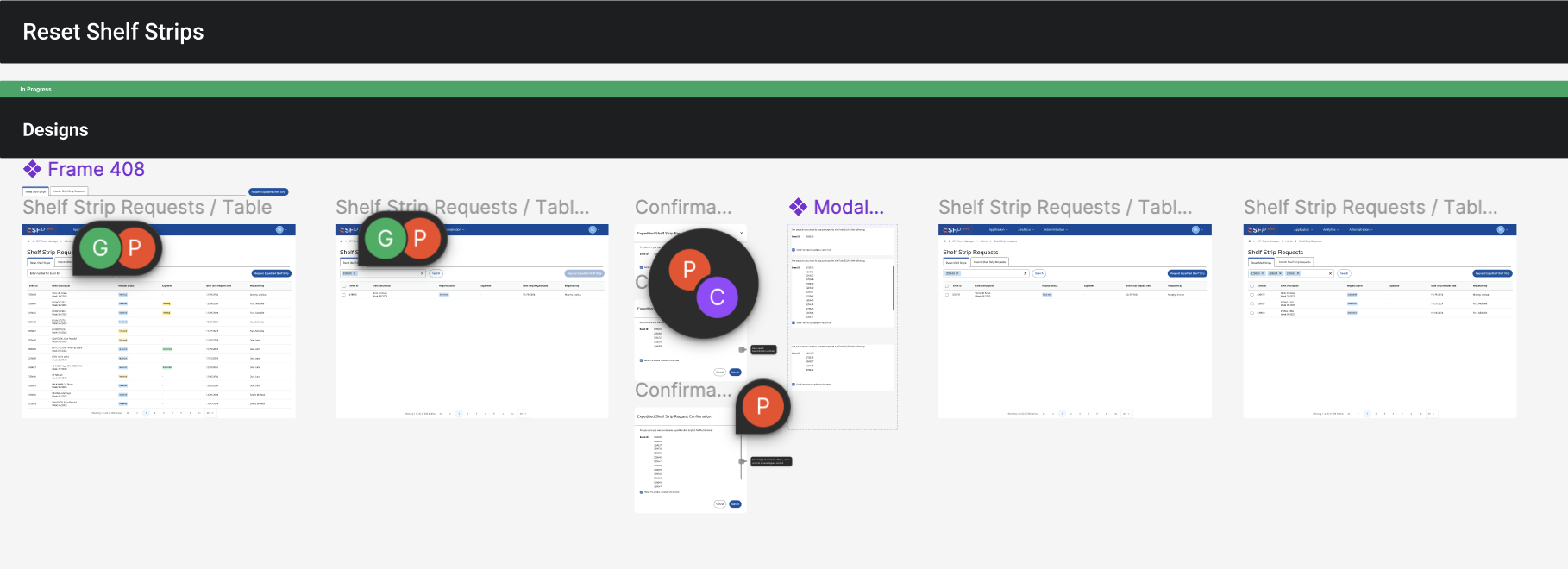
Because of this close collaboration, the final handoff of designs was smooth. I continued attending stand-ups and review sessions throughout the development process to be available to maintain alignment and address any questions as the feature was released in the dev environment.
RETROSPECTIVE
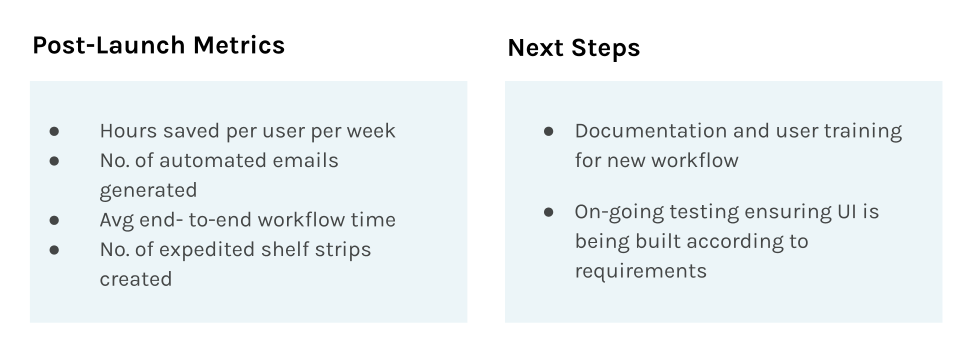
While the workflow is currently in stage, we are excited for the outcomes that this update will provide when launched to in production. The primary metrics we anticipate tracking post-launch include hours saved per user per week, number of automated emails generated, average end to end workflow time, and number of expedited shelf strips created.
These metrics tie directly to the business goals of improving speed, reducing manual work, and increasing reliability for expedited shelf strip requests.”